Revit Renders, All at Once
Claude finds every camera in the Revit model you have open, colours each view by material, and renders all of them at the same time through the Gemini API. No waiting on a chatbot one picture at a time.
Shown on the Pacific Continental Residence in Revit 2027
Revit × Claude is out: 44 Revit skills, three free to try. See the skills →
1. Connect Revit and Gemini
This one runs in Claude Code, the Code tab of the Claude desktop app, because Claude writes the render script and runs it. It needs the Revit MCP and a Gemini API key. Set both up once.
▸How to set up the Revit MCP in Claude Codeopen
The full setup, with a video, is at archaiflow.com/setup.
step 1Install pyRevit
Install the latest pyRevit from pyrevitlabs.io.
step 2Add the extension, in Revit
It is in pyRevit’s own extension list, so there is nothing to download by hand.
- 1.Revit → pyRevit tab →
Extensions. Findrevit-mcp-pythonand install it. - 2.Same tab →
Settings→ Routes: turn the Routes Server on. - 3.Restart Revit and open a project.
step 3Add the Revit MCP to Claude Code
Paste this into the Code tab.
Connect the Revit MCP server to Claude Code on Windows.
The pyRevit extension is already installed at
%APPDATA%\pyRevit\Extensions\revit-mcp-python.extension

1. Install uv if it isn't already on PATH.
2. Add it to Claude Code for my user, named "revit", running
   the main.py in that folder with uv. The repo README has
   the command shape:
   https://github.com/revit-mcp/revit-mcp-python
3. Tell me when it's done, and remind me to start a new
   session so the tools load.
▸How to get a Gemini API keyopen
step 1Make a key
In Google AI Studio, open API Keys and create a key.
step 2Turn on billing
Click Set up billing in AI Studio. On the free tier Nano Banana Pro has no quota, so nothing renders.
step 3Save it on your PC
Run this in a terminal, with your key in the quotes:
setx GEMINI_API_KEY "your-key"
Then quit the Claude desktop app completely and reopen it. Keep the key out of the chat.
2. One prompt
Open the model in Revit, then paste this into a new session in the Code tab.
Use the Revit model I have open.

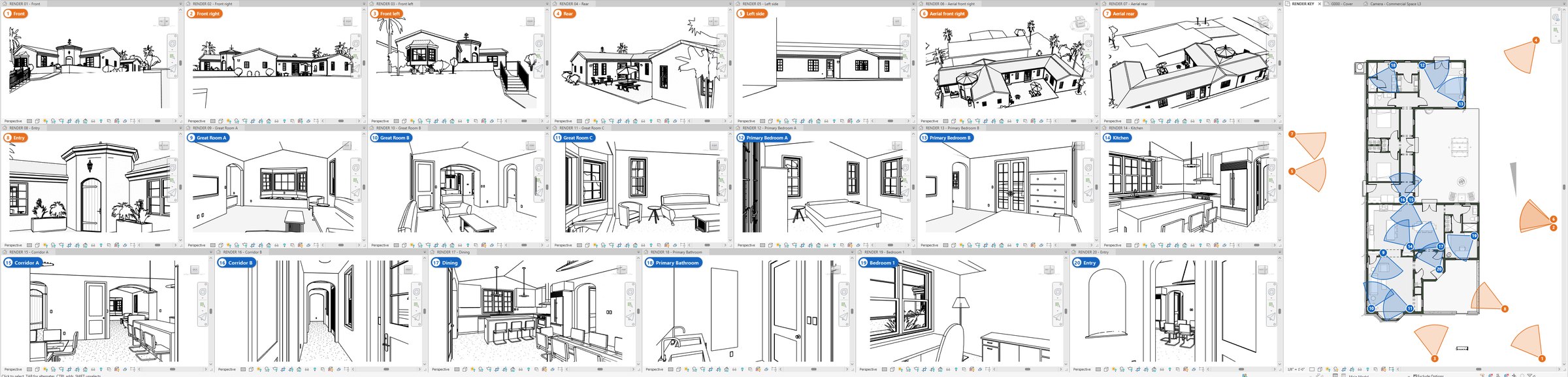
1. Find every camera view. Open them all and tile them so I
   can watch, in black and white with shadows off, next to a
   floor plan that numbers each camera and shows where it
   looks.
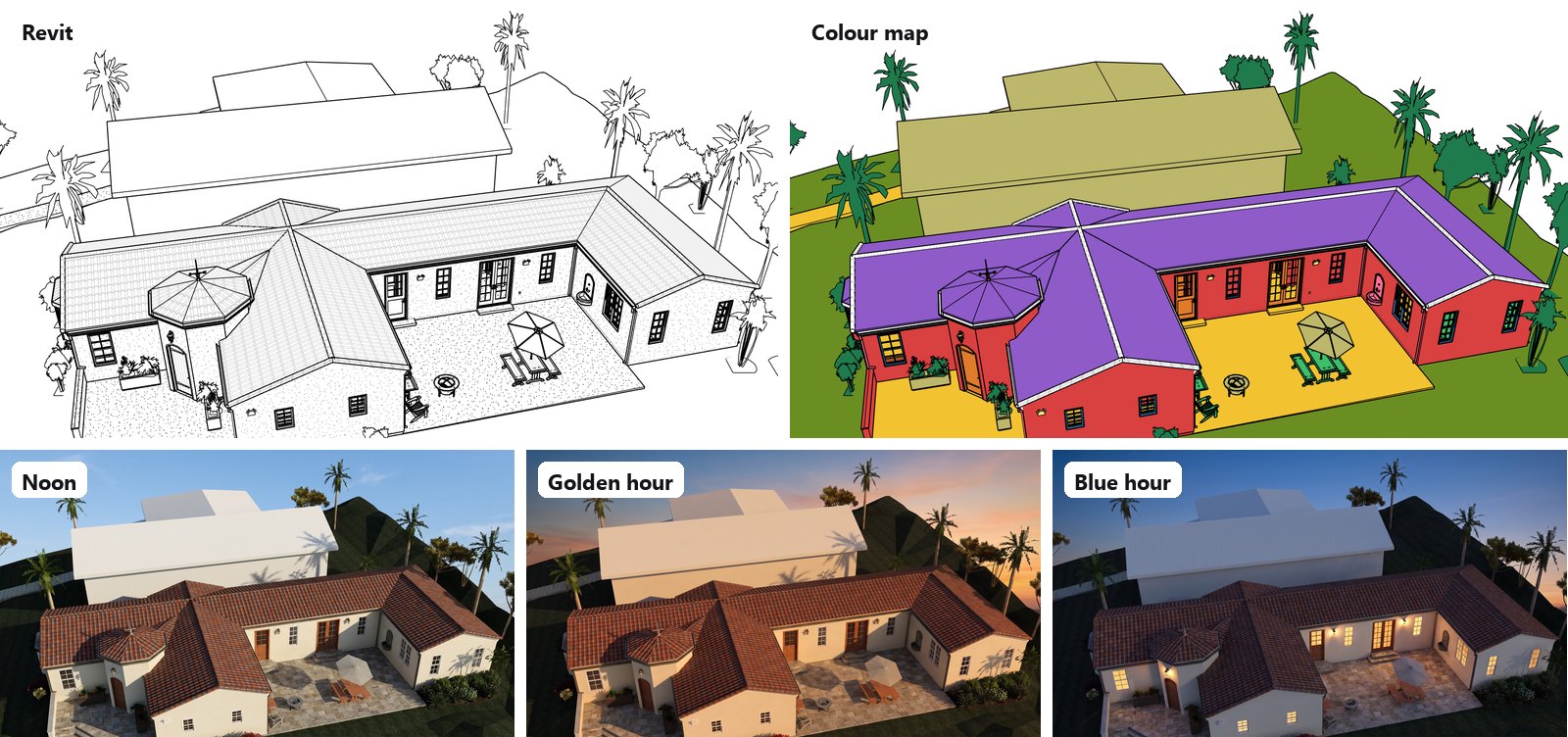
2. Colour each view by material: one flat colour per
   material, black edges, and a colour key on the plan.
   Export the black and white view and the colour view of
   each camera as PNGs to a folder in Documents.
3. Ask me which light I want (noon, golden hour, blue hour
   or overcast) and how many per view.
4. Write a script that renders every view at the same time
   through the Gemini API with Nano Banana Pro, using the
   GEMINI_API_KEY environment variable. Send each view's
   black and white picture and its colour view. Keep the
   camera, the geometry and every material, and add nothing
   that is not in the model. If the API says the limit is
   reached, wait and send the rest.
5. Show me each render next to its view, then tell me which
   ones changed the building, so I can redo just those.

Never save the Revit model. When I'm done, put the views back
and delete the views you made.
Claude stops once, at step 3, so you can pick the light. The rest runs on its own.
3. What comes back
Every camera opens at once, numbered on the plan, so you can see what each view looks at before anything is rendered.
The colour view tells the AI which surface is which, so a roof stays a roof and a floor stays a floor. More on colour maps in Revit Colour Maps for AI Renders.
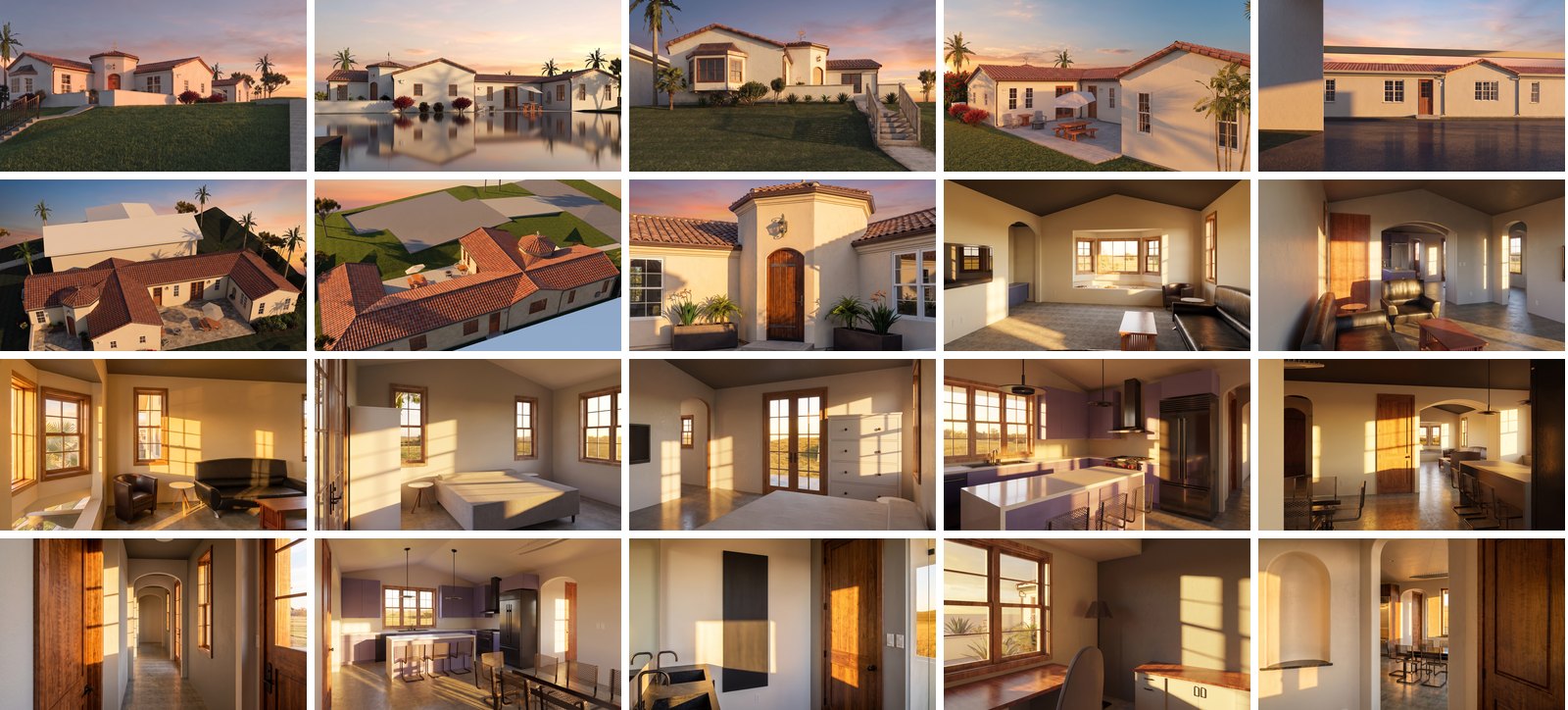
All the views go out together and come back together.
4. Why the API
All views at once, no chatbot wait. In a chat you send one picture and wait. The script sends every view together.
Batch size depends on your account. See yours on the Rate Limit page in AI Studio, and how tiers go up in Google’s rate limit guide.
5. Sending them
Check each render against its colour view first. AI can add a lamp or move a window, and redoing one view costs one picture.
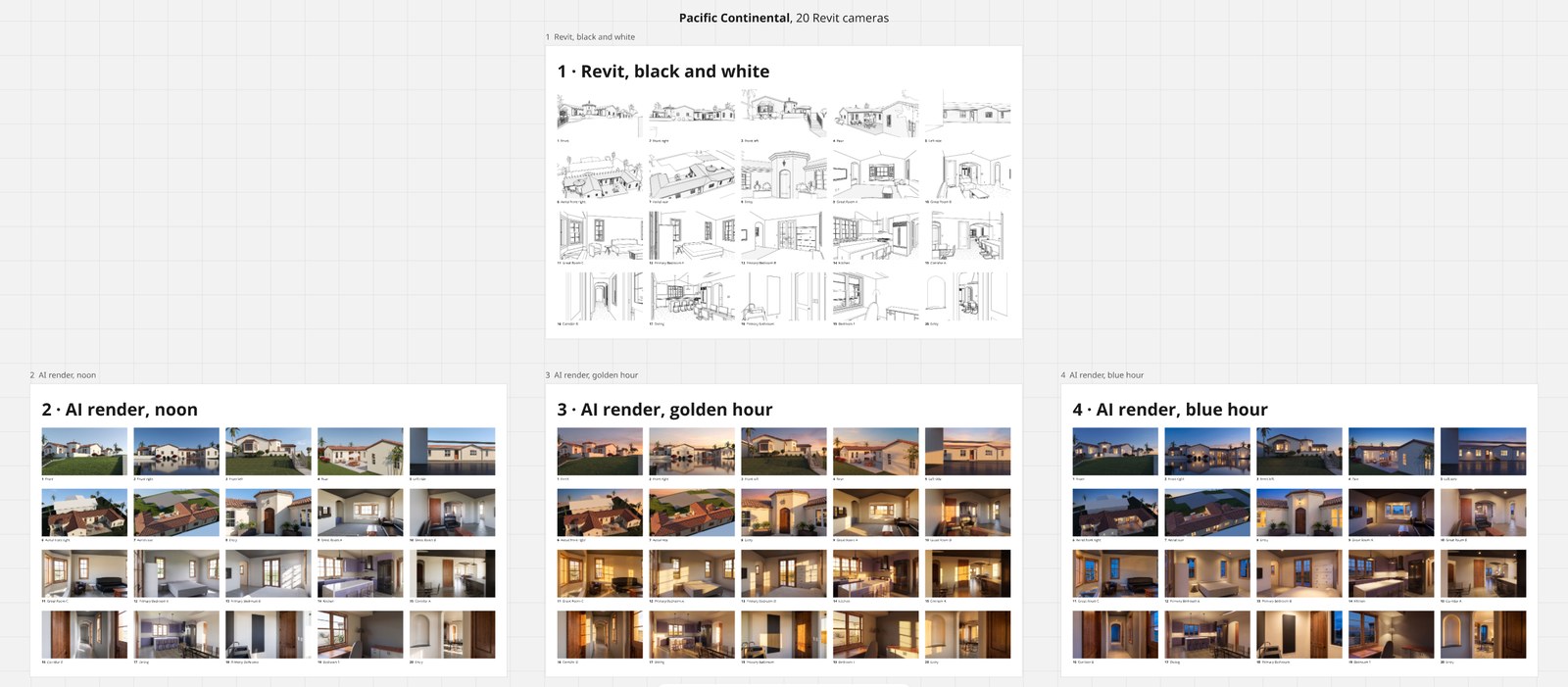
Then ask Claude to put them on a Miro board, one frame per light. The setup is in Miro Boards from Revit.
I hope this one helped, even a little. If it did, the skills and the handbook will help a lot more: the Revit jobs that come back every day, done with Claude, in the model that is already open. Only what I have run myself and found useful on real projects goes in.
David