Revit Sheets, Cover to Renderings
Claude reads every drawing in the Revit model, shows a few ways to lay them out on sheets, and builds the one you pick as a whole set, from the cover to the renderings. Then you fix it in plain words. All from the Claude desktop app.
Shown on the Revit basic sample project in Revit 2027
Revit × Claude is out: 44 Revit skills, three free to try. See the skills →
1. Connect Revit
The prompt runs through the Revit MCP server, a free add-in that lets Claude read the model you have open and make changes in it. Set it up once and it loads with Revit after that.
▸How to set up the Revit MCPopen
The full setup, with a video, is at archaiflow.com/setup.
step 1Install pyRevit
Install the latest pyRevit from pyrevitlabs.io.
step 2Add the extension, in Revit
It is in pyRevit’s own extension list, so there is nothing to download by hand.
- 1.Revit → pyRevit tab →
Extensions. Findrevit-mcp-pythonand install it. - 2.Same tab →
Settings→ Routes: turn the Routes Server on. - 3.Restart Revit and open a project.
step 3Install the Revit MCP
Paste this prompt to install the Revit MCP.
Connect the Revit MCP server to Claude Desktop on Windows.
The pyRevit extension is already installed at
%APPDATA%\pyRevit\Extensions\revit-mcp-python.extension

1. Install uv if it isn't already on PATH.
2. Add a "Revit Connector" entry to the mcpServers block of my
   claude_desktop_config.json that runs the main.py in that
   folder with uv. The repo README's "Connecting to Claude
   Desktop" section has the exact JSON shape:
   https://github.com/revit-mcp/revit-mcp-python
3. Tell me when it's done, and remind me to quit Claude Desktop
   completely and reopen it.
Quitting Claude Desktop completely and reopening it puts Revit Connector in the connectors list under the message box.
2. One prompt
Open the model in Revit, then paste this into a new chat.
Use the Revit model I have open.

Read every floor plan, elevation, section, detail,
schedule and rendering in it. Tell me what you found,
with a count for each.

Then ask me these one at a time, waiting each time:
1. how to lay them out on sheets, 3-4 options from what
   you found, on one board of numbered cards with made-up
   example pictures, marking the one you would pick
2. what scale for the floor plans

Work on copies of the views, in a new sheet collection
called Claude, so the model's own sheets stay as they are.
Make a cover with the renderings and a sheet list, a sheet
per level with every plan at the same scale and lined up,
the elevations in pairs, the sections, the details, the
schedules and the renderings. Fill in the title block, with
Checked by left as Pending. Then open every sheet side by
side.

Never save the Revit model. Tell me what you made, ask me
what to fix, and delete the collection when I say I'm done.
Claude asks one question at a time and waits for each answer. After the last one, the set builds on its own.
3. What comes back
First, what is in the model. On the sample house that is three plans, four elevations, four sections, four details and five renderings. Then a few ways to lay them out, on cards with made-up example pictures, so you choose a layout, not a finished sheet.
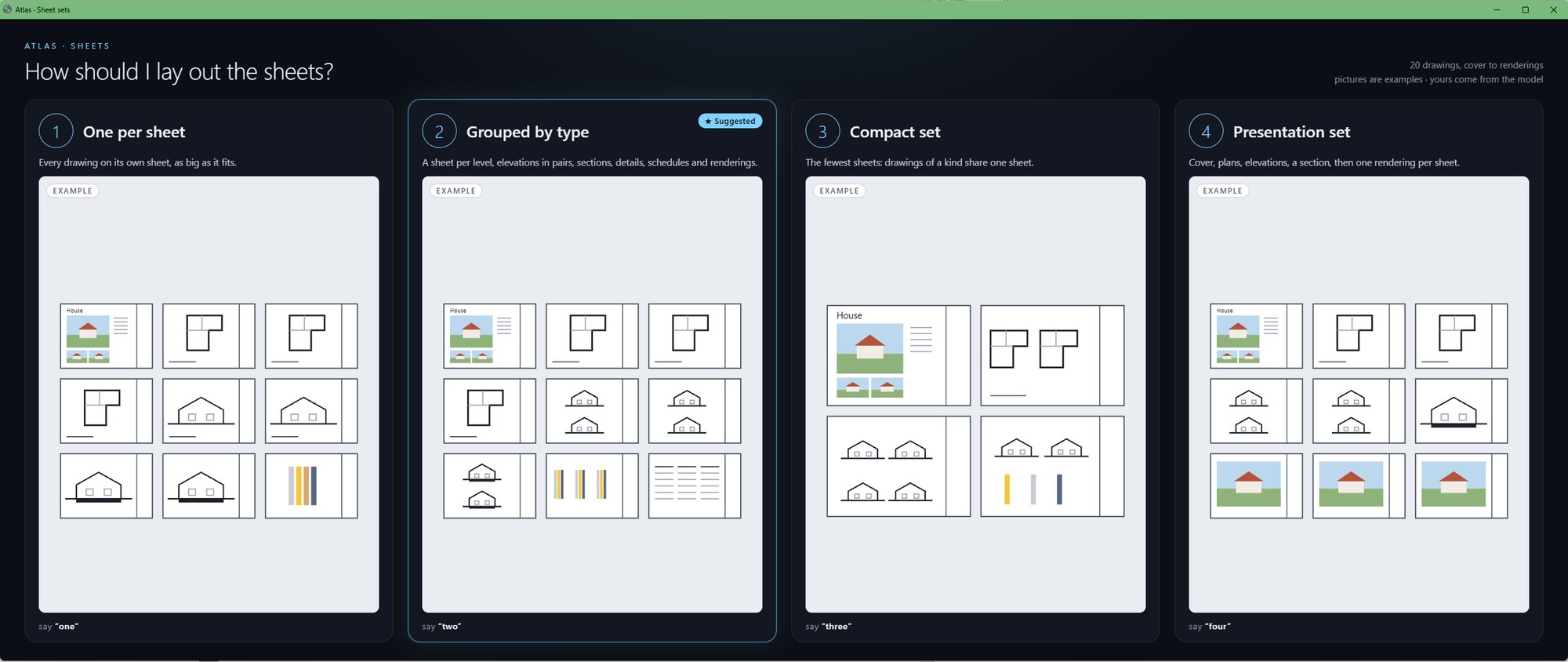
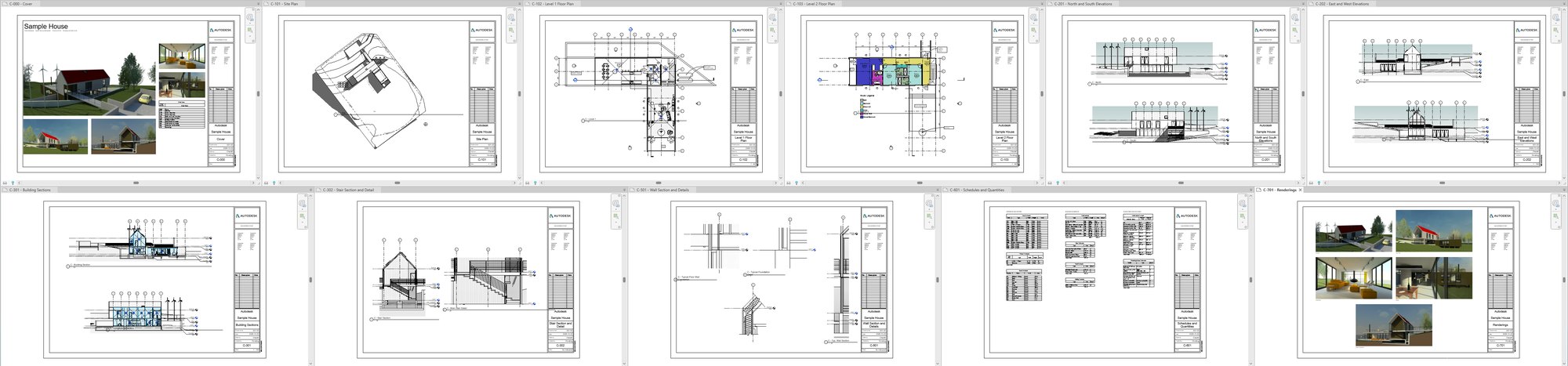
Pick one, and the whole set is built in its own sheet collection called Claude. Grouped by type gave eleven sheets: a cover with the renderings and a sheet list, the site, a plan per level, the elevations in pairs, the sections, the details, the schedules and the renderings. The title block is filled in, with Drawn by Claude and Checked by left as Pending. Every sheet opens side by side when it is done.
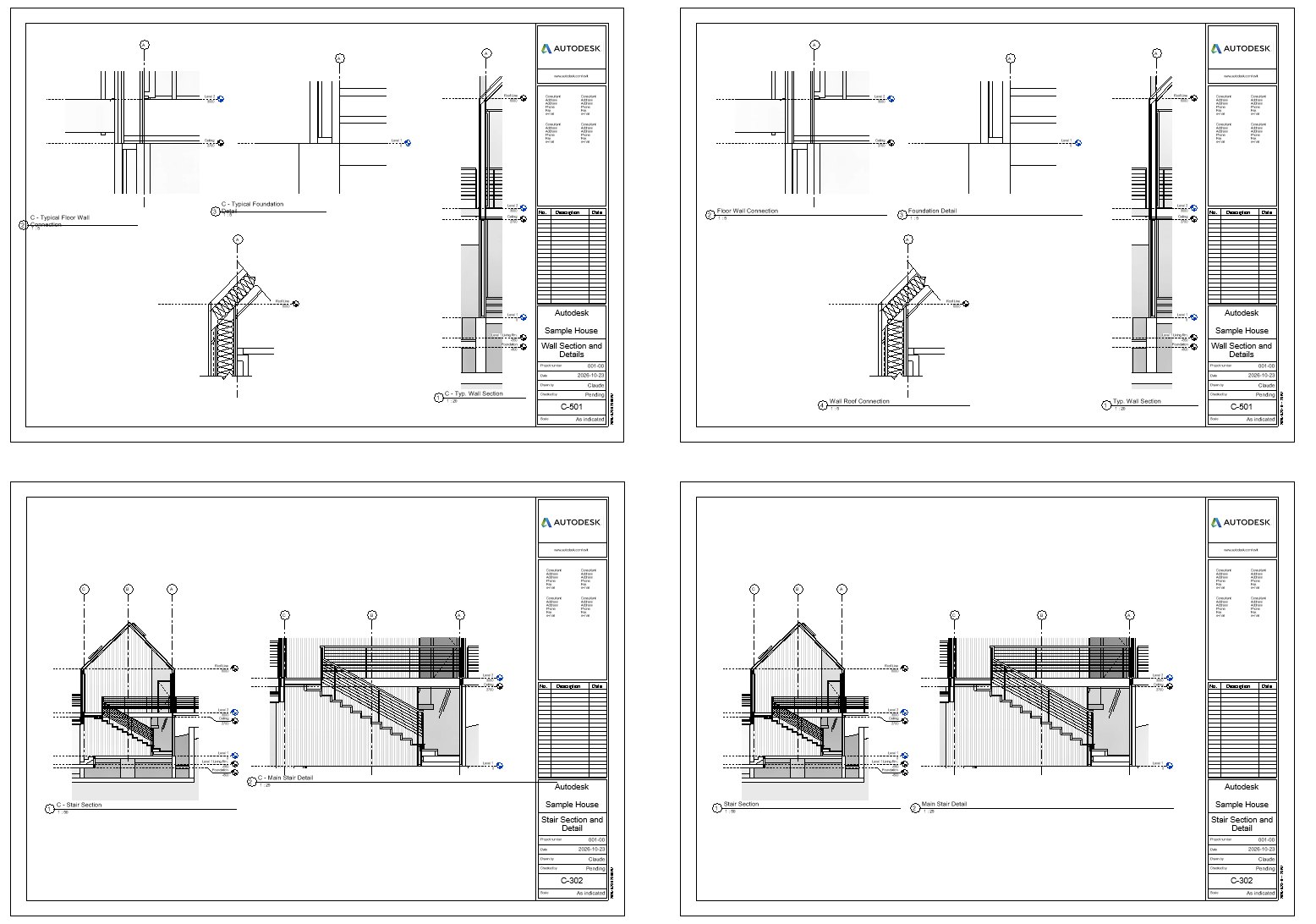
Then say what to fix, in plain words. “The title lines look messy, can you clean them up?” gives every drawing its own name, a line under the whole drawing, and puts the titles of drawings side by side on one line.
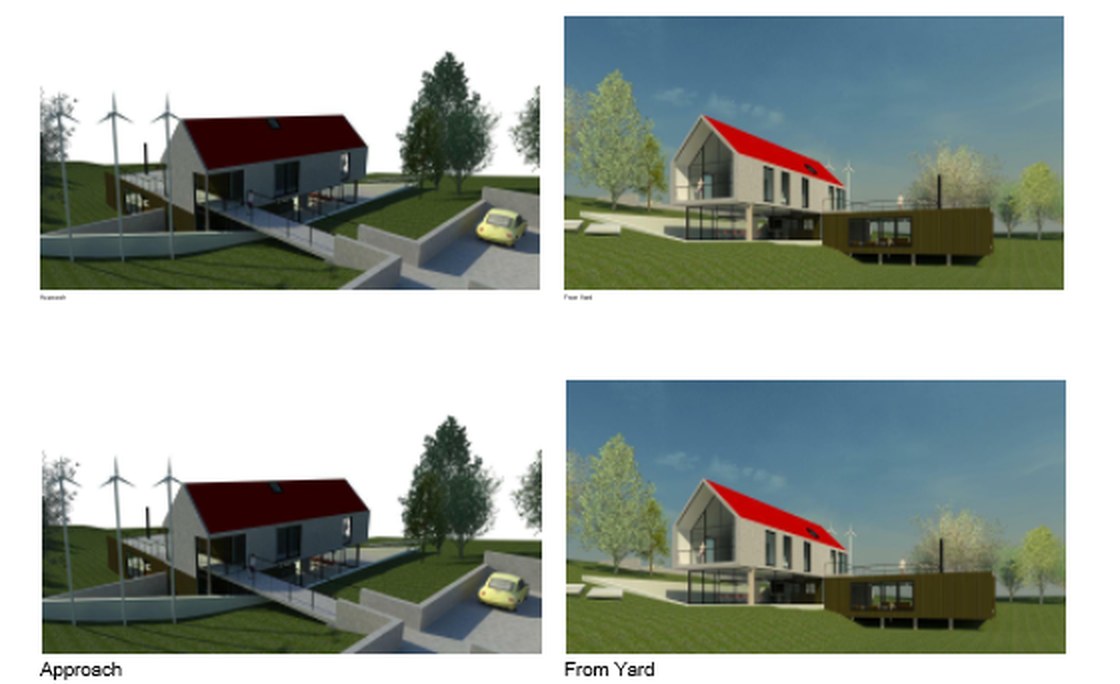
“Make the rendering labels bigger” puts the captions under the renderings in the model’s 10 mm text.
4. Why copies
In Revit a view can sit on only one sheet. Building the set from copies leaves your own sheets and views where they are, and deleting the Claude collection takes the whole set out again.
The floor plans line up from sheet to sheet because each one is placed from the same point in the model, so the levels sit exactly over each other when you flip between them.
I hope this one helped, even a little. If it did, the skills and the handbook will help a lot more: the Revit jobs that come back every day, done with Claude, in the model that is already open. Only what I have run myself and found useful on real projects goes in.
David