Photoshop Looks, Six at Once
Claude shows twelve looks for the Revit plan and the 3D on one board and marks six. Pick them, and Photoshop builds all six side by side, a step at a time on each. All from the Claude desktop app.
Shown on the Pacific Continental Residence in Revit 2027
Revit × Claude is out: 44 Revit skills, three free to try. See the skills →
1. Connect Revit
The prompt runs through the Revit MCP server, a free add-in that lets Claude read the model you have open and make changes in it. Set it up once and it loads with Revit after that.
▸How to set up the Revit MCPopen
The full setup, with a video, is at archaiflow.com/setup.
step 1Install pyRevit
Install the latest pyRevit from pyrevitlabs.io.
step 2Add the extension, in Revit
It is in pyRevit’s own extension list, so there is nothing to download by hand.
- 1.Revit → pyRevit tab →
Extensions. Findrevit-mcp-pythonand install it. - 2.Same tab →
Settings→ Routes: turn the Routes Server on. - 3.Restart Revit and open a project.
step 3Install the Revit MCP
Paste this prompt to install the Revit MCP.
Connect the Revit MCP server to Claude Desktop on Windows.
The pyRevit extension is already installed at
%APPDATA%\pyRevit\Extensions\revit-mcp-python.extension

1. Install uv if it isn't already on PATH.
2. Add a "Revit Connector" entry to the mcpServers block of my
   claude_desktop_config.json that runs the main.py in that
   folder with uv. The repo README's "Connecting to Claude
   Desktop" section has the exact JSON shape:
   https://github.com/revit-mcp/revit-mcp-python
3. Tell me when it's done, and remind me to quit Claude Desktop
   completely and reopen it.
Quitting Claude Desktop completely and reopening it puts Revit Connector in the connectors list under the message box.
2. Connect Adobe
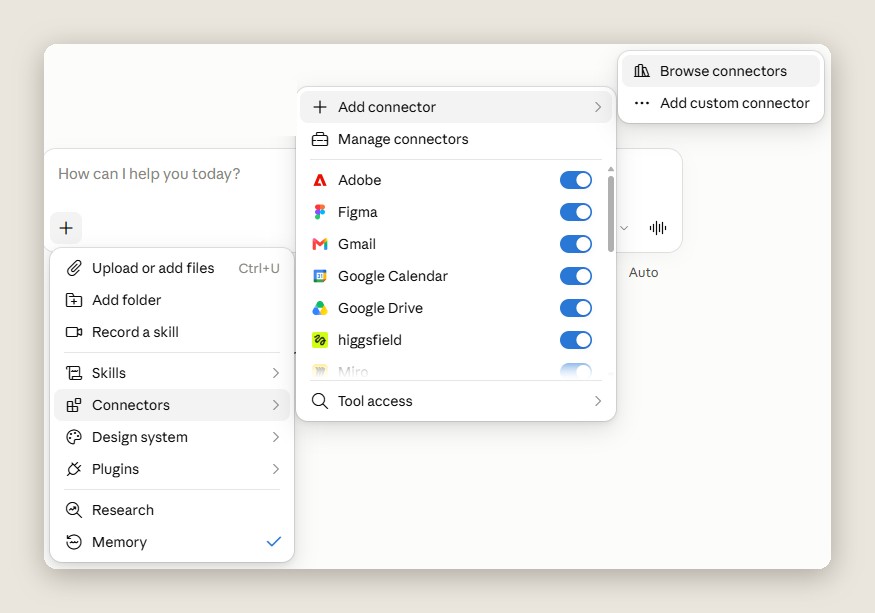
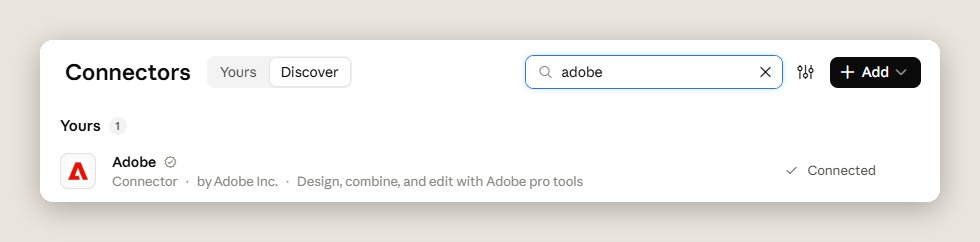
Adobe is a published connector, so there is nothing to install. In Claude, open the + menu under the message box, then Connectors → Add connector → Browse connectors, and connect Adobe.
▸Where to find itopen
3. One prompt
Open the model in Revit and open Photoshop, then paste this into a new chat.
Use the Revit model I have open and Photoshop.

Read the Level 1 floor plan and the 3D views. Tell me what is
in them, with a count for each: walls, floors, rooms by use,
furniture, plants, glass and roofs.

Then ask me these one at a time, waiting each time:
1. which plan and which 3D view to use
2. which looks, on one board of numbered cards with made-up
   example pictures, marking the ones you would pick
3. how many to build at once, side by side in Photoshop

Work on copies of those views, so mine stay as they are.
Export each with a black and white mask for every kind of
thing in it, lined up pixel for pixel, to a folder in
Documents. Build every shape from those masks, one layer at a
time on each document in turns, with the room names last.
Save each one as a layered PSD and a PNG.

Never save the Revit model. Tell me what you made and where
the files are, and delete the view copies when I say I'm done.
Claude asks one question at a time and waits for each answer. On the board, “do all six” takes the ones it marked. After the last answer, the rest runs on its own.
4. What comes back
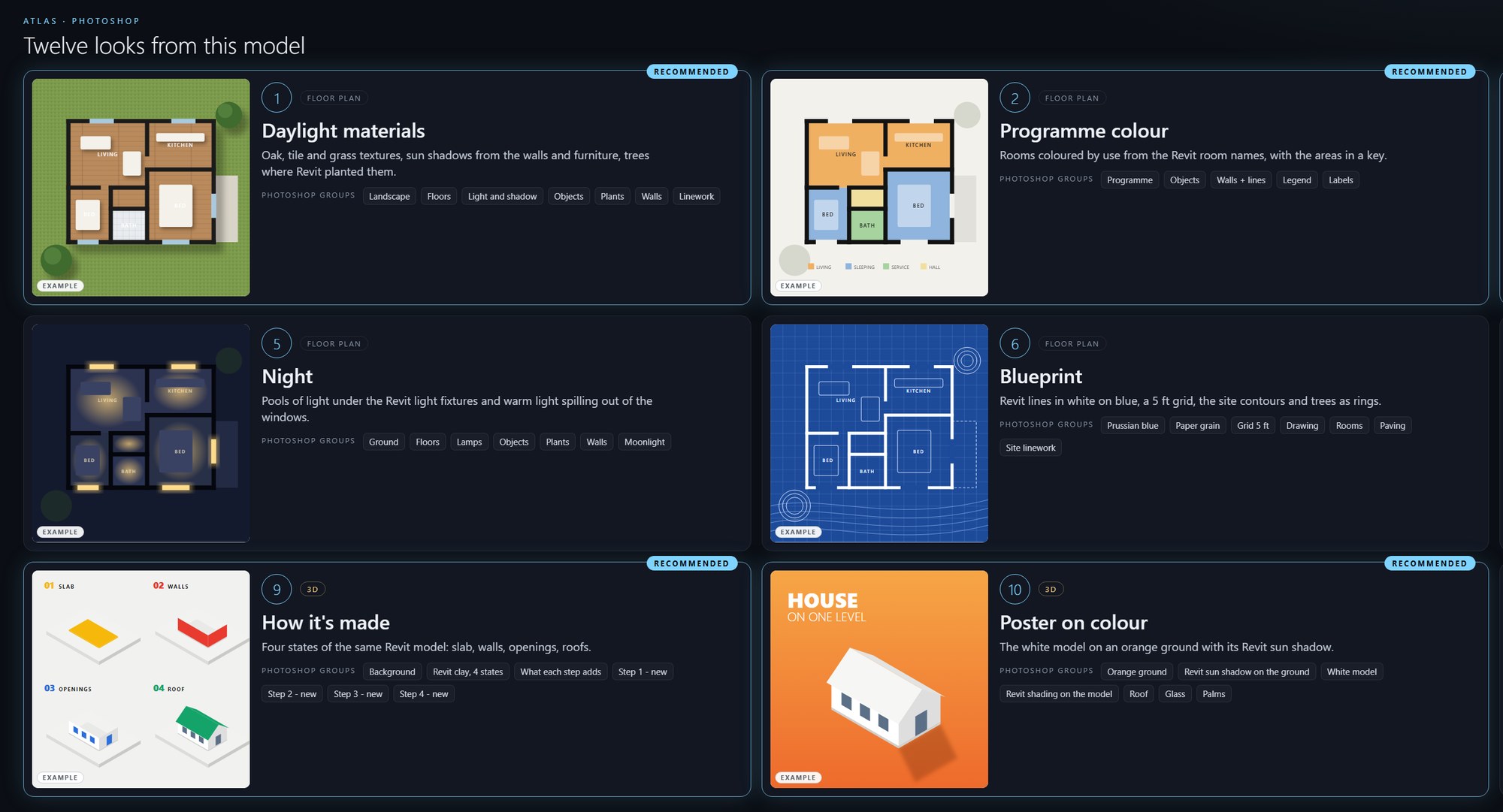
First, a board of twelve looks. The pictures on the cards are made-up examples, so you choose a style, not a finished drawing.
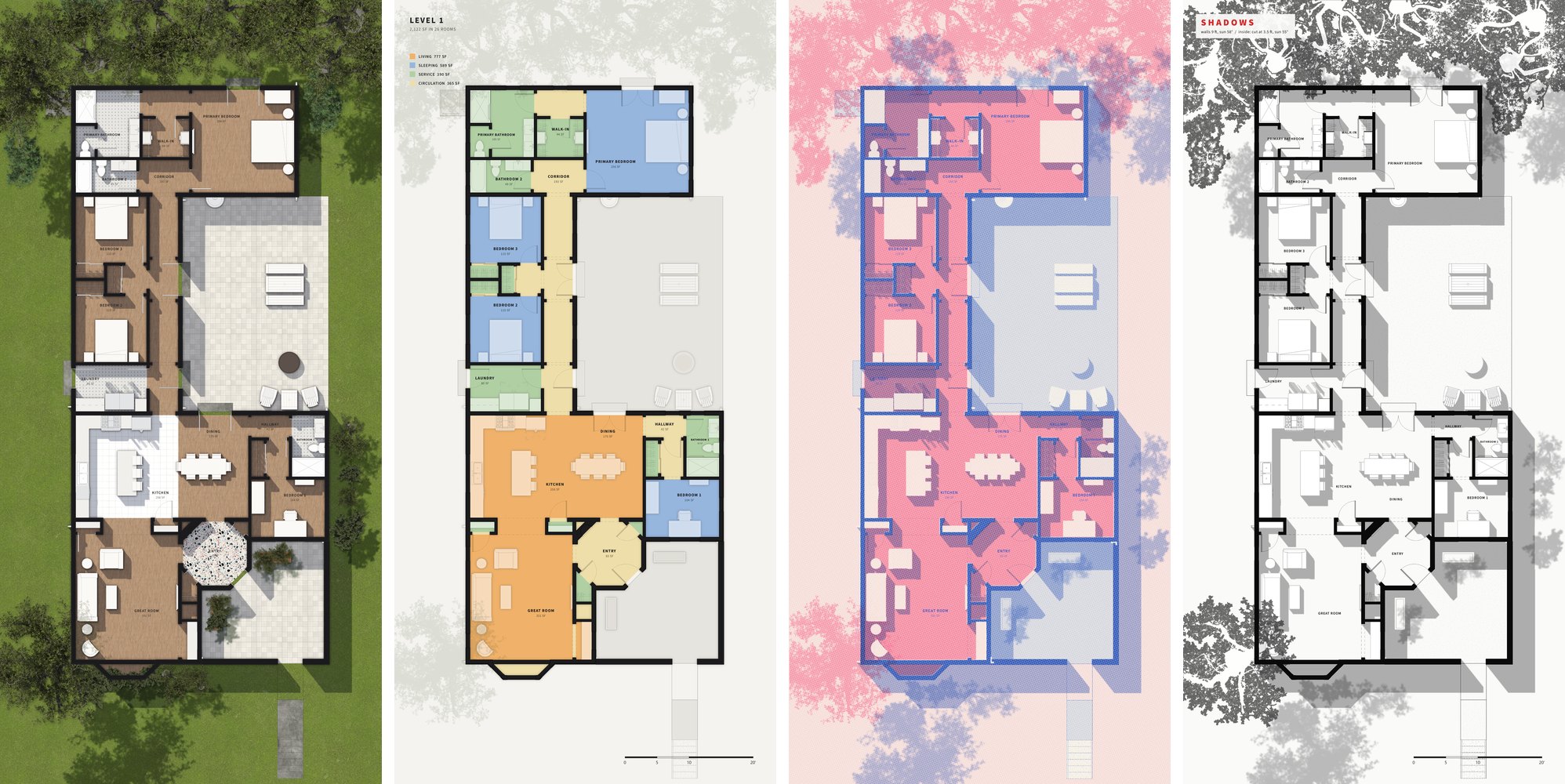
Then one Photoshop with a document for each look, side by side. Each one gets a step in turn, so all of them grow together. Each look comes back as a layered PSD with named groups, so you can keep working on it, and as a PNG.
5. Why from the masks
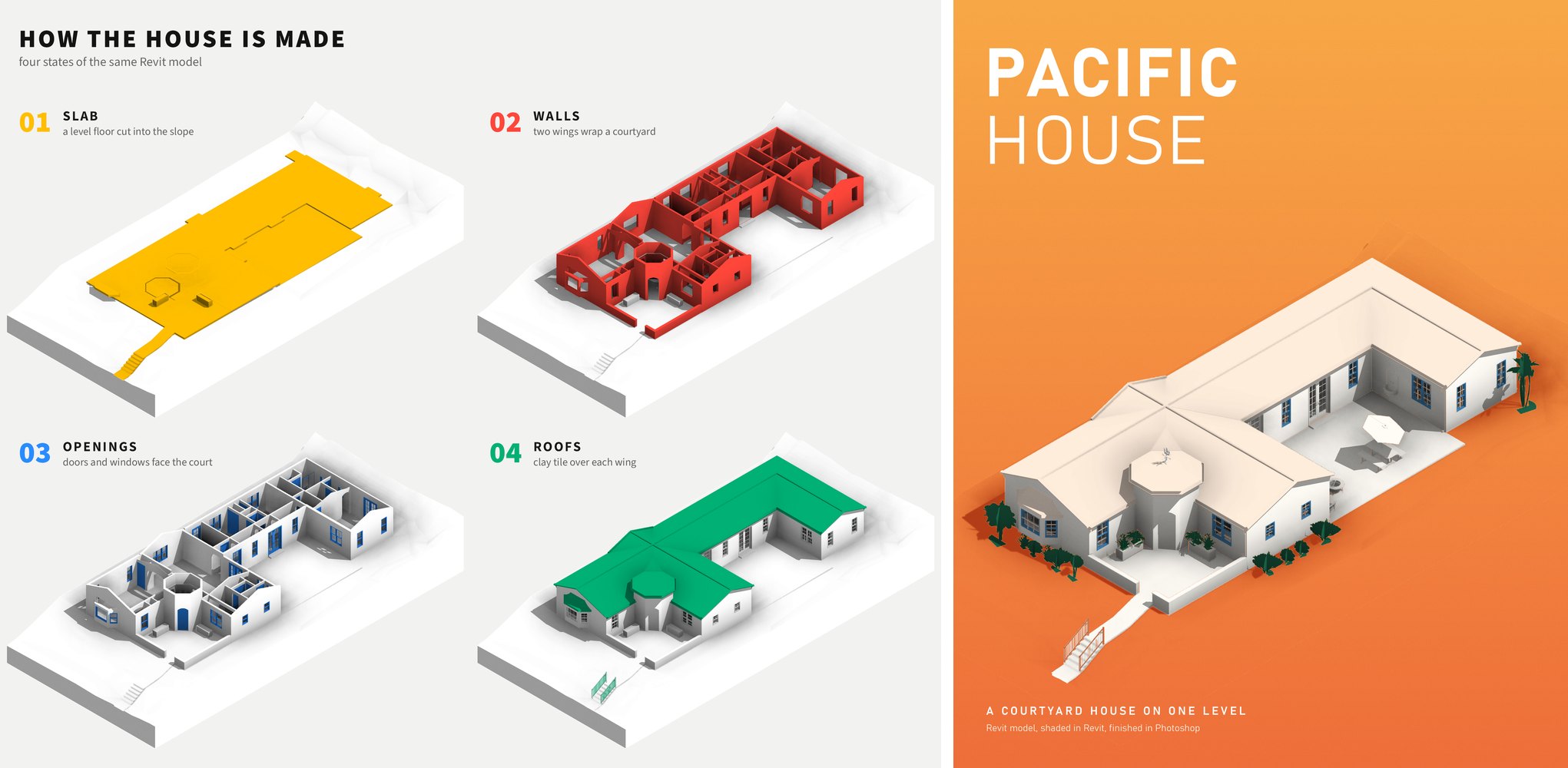
Photoshop never guesses where a wall or a room is. Every shape comes from a Revit mask, so walls, rooms, furniture and trees land where the model has them, in every look.
The plan and the 3D come from the same model, so the six pictures always agree with each other.
6. How long it takes
Photoshop takes turns between the six, one step each, so they grow together on screen.
On my computer, six looks took about 13 minutes. Speed depends on your computer. Ours ran smoothly because every shape came from a Revit mask, so Photoshop never had to guess.
I hope this one helped, even a little. If it did, the skills and the handbook will help a lot more: the Revit jobs that come back every day, done with Claude, in the model that is already open. Only what I have run myself and found useful on real projects goes in.
David