Set up your firm’s memory in Obsidian
An Obsidian vault is a folder of plain text files. Any AI that can read a folder can read your entire project history. There is nothing to export and no integration to keep alive. Pick the folder, then paste one prompt.
Obsidian 1.13.7 · Claude Cowork or ChatGPT desktop
Revit × Claude is out: 44 Revit skills, three free to try. See the skills →
1. Pick the folder
Put the vault on the drive the office already shares, beside the project folders rather than inside them. One vault for the whole practice, because links do not cross vaults and the cross-project link is the entire point.
Your shared drive
│
├─  Projects          what you already have. leave it alone
│      2024-018 Riverside
│      2024-031 Mill Street
│
└─  Firm Memory       make this one. it is the vault
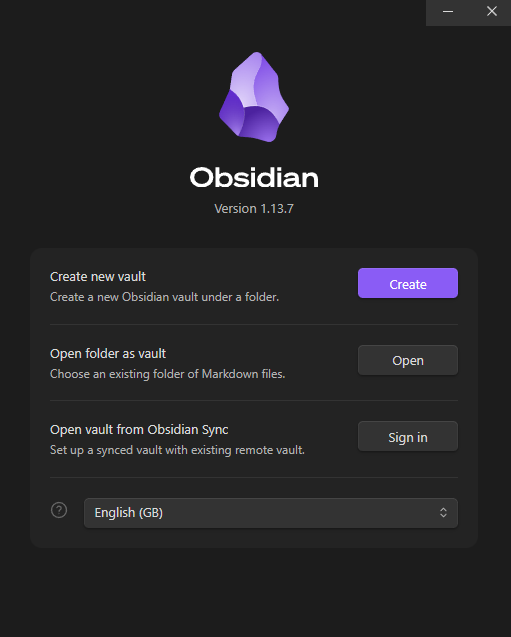
Do not point it at the whole project server. Obsidian watches every file in the tree, and a few hundred gigabytes of RVT, DWG and PDF are not notes. Make the empty folder in Explorer first, then open Obsidian and choose Open folder as vault.
2. Paste this once
The prompt does not tell the AI what folders to make. Every practice is organised differently, and a structure copied from someone else’s page rarely lasts. Instead it makes the AI interview you, and holds it to rules that stop it making things up.
This folder is an Obsidian vault. It will hold my practice's
institutional memory: what we know that is written down
nowhere, and how we decided what we decided.

Interview me before you build anything. Ask what you need to
design a structure that fits how we work, one question at a
time, and wait for each answer.

Then build it. It has to hold what happened on each project,
and the things that recur across projects as notes of their
own, so that everything touching one links to it.

Rules:
- Markdown with [[wikilinks]], never file paths.
- Invent nothing. Leave a blank and list every gap at the end.
- Everything outside this folder is read only.
- You cannot read inside RVT, DWG or scanned PDFs. Name the
  file and say so rather than guessing.

Start by asking your questions.
Point it at one finished job while it is asking, and it will fill the vault from real files rather than leave you an empty structure.
Where to paste it
- Claude
- Use Cowork. Start a task, pick the vault folder, paste the prompt. Handing over a folder is what Cowork is for, so it is the shortest route.
- ChatGPT
- The desktop app does the same thing. On the web or the phone it cannot see your files, so use the desktop app.
- Claude Code
- If you already work in a terminal, open one in the folder and run
claude.
Whichever you use, it should come back with questions before it writes anything. Answer them in full. That is what makes the structure yours rather than a template.
3. Then use it, three ways
A vault is worth nothing on the day it is built and worth something on the fiftieth.
Every session starts the same way: open Cowork or ChatGPT and give it the vault folder again, exactly as you did to paste the prompt. A new chat does not remember the folder, so that is always the first move, and everything below assumes you have done it.
Every day
- Ask it
- What did the city say about corridors on our last three jobs? It answers out of your notes rather than out of architecture in general. Ask it which note each part came from.
- Feed it
- Paste in an email, a meeting note, a review comment, and say capture this into the vault. Ten seconds, and it files and links it for you.
- Read it
- Open Obsidian when you want to look yourself. Click a link to follow it, and scroll to the bottom of any note to see everything that links back to it.
Feeding it is the one that decides whether this works. Anyone in the office can do it, and it has to happen the same afternoon as the meeting, not at the end of the job.
4. Why a folder and not an app
Every practice already has a folder per job. It answers what is in this project, and it cannot answer has this happened before. Which examiner rejected this detail, on which job, in which year. Which of the three suppliers held their dates. Those facts belong to an authority, a person or a product, not to a project. So they need to be notes that every job links to.
The same applies to the AI. A model knows architecture in general and nothing about your jobs, so it has to read them. It can only read what is written as text. A scanned markup is a picture, and what a reviewer wrote on it cannot be found. Typed into a note, the same thing can.
And when something was never written down, the model does not tell you that. It answers from general knowledge in the same confident tone it would use for your own files. So ask which file every claim came from, every time. An answer with no file behind it is an answer about buildings in general, not about yours.
Obsidian has been free for work since 2025-02-20. The only paid piece is Sync at $4 per user per month billed annually. You do not need it if the folder is already on a shared drive. The longer argument behind section 4 is in Where AI Actually Works in AEC.
I hope this one helped, even a little. If it did, the skills and the handbook will help a lot more: the Revit jobs that come back every day, done with Claude, in the model that is already open. Only what I have run myself and found useful on real projects goes in.
David